Reinventing Coroutines
This time, we'll try to reinvent Coroutines for Ichi in C++. Along the way, we'll take a brief look at how iterators work under the hood in C# and speculate how Unity uses them for implementing coroutines.
And of course, we won't be using the native C++ coroutine support. It'll be a really clunky implementation, but it will be useful!
Routinely Handy
Coroutines are basic stuff if you've dabbled in Unity, but let's demonstrate it anyway for posterity.
Imagine that we have a sequential logic in our Unity game, such as spawning a couple of enemies with some delay, and finally spawning a boss. We can certainly implement this in a regular update loop, but updating some state variables and checking them each frame. However, Coroutines lets us write this logic in a straightforward way;
public IEnumerator SpawnRoutine()
{
	WaitForSeconds delay = new(1);

	for (int i = 0;  i < 5;  i++)
	{
		SpawnEnemy();
		yield return delay;
	}

	SpawnBoss();
}

...

Coroutine handle = StartCoroutine(SpawnRoutine());
Even if they come with their own drawbacks (heap allocation, extra loop that must be updated each frame etc.) Coroutines are surprisingly handy albeit a bit clunky in regards to async/await pattern. But before speculating about how Unity implemented this feature, let's take a look a bit deeper into C# enumerators to understand what's going on here.
Enumerating...
Enumerators (or, iterators) are classes that implement IEnumerator interface ( (¬_¬") ). They are very simple, they just set their .Current property to some value until their .MoveNext() method returns false. They don't even have to be a real (as in, backed with an array or a List) collection. Since they are lazily evaluated they can be used to implement infinite collections for example.
Also, enumerators are somewhat special in the language. If implemented correctly, an IEnumerator class can be iterated over with
foreachtoo.
But the real magic is that C# can generate anonymous enumerator objects from plain methods for you, you just have to use the yield return statement inside;
public static IEnumerator<int> Generator()
{
    for (int i = 0;  i < 5;  i++)
    {
        yield return 1; // we return an int here...
    }

    yield return 0;
}

public static void Main()
{
    IEnumerator<int> gen = Generator(); // but we get an IEnumerator object?

    while (gen.MoveNext())
    {
        int val = gen.Current;
        Console.WriteLine(val);
    }
}
Those methods are just plain C# methods that don't have any particular restrictions aside that you must yield inside them. As you call MoveNext() on the enumerator object, the code starts from the beginning or resumes from the last yield and runs to the next, up until you exhaust the yields, at which point MoveNext() returns false.
Since we don't have any restrictions, nothing is really stopping us from doing other stuff inside them. Why not open a file and read line by line until it is exhausted? Or let it print ascii spinner (|, /, -, \) per second ad infinitum in a console app.
Or, spawn an enemy each second, then spawn a boss.
Okay, that requires some setup but let's look at how C# is doing all this under the hood.
It's All (Syntactic) Sugar Anyway
To inspect what magic C# is invoking here, we need to check compiler output. Not the IL bytecode it emits, no. Rather, we need to check after the first pass and all the syntactic sugar is removed by the compiler. We can do that in sharplab.io. Let's take the example above and put that there, and check the output.
[CompilerGenerated]
private sealed class Generator_Enumerator : IEnumerator<int>, IEnumerator, IDisposable
{
    private int _state;
    private int _current;
    private int i;

    int IEnumerator<int>.Current
    {
        get => _current;
    }

    object IEnumerator.Current
    {
        get => _current;
    }

    public Generator_Enumerator(int _state)
    {
        this._state = _state;
    }

    private override bool MoveNext()
    {
        switch (_state)
        {
            default:
                return false;
            case 0:
                _state = -1;
                i = 0;
                goto IL_0052;
            case 1:
                _state = -1;
                i++;
                goto IL_0052;
            case 2:
                {
                    _state = -1;
                    return false;
                }
            IL_0052:
                if (i < 5)
                {
                    _current = 1;
                    _state = 1;
                    return true;
                }
                _current = 0;
                _state = 2;
                return true;
        }
    }

    void IEnumerator.Reset()
    {
        throw new NotSupportedException();
    }
}

public static IEnumerator<int> Generator()
{
    return new Generator_Enumerator(0);
}

public static void Main()
{
    IEnumerator<int> enumerator = Generator();
    while (enumerator.MoveNext())
    {
        Console.WriteLine(enumerator.Current);
    }
}
Okay, that's a lot of code!
I have cleaned this up. Full compiler generated code is in the sharplab link in all its gnarly glory.
Our Generator() method got squashed into a single line that returns a heap allocated object, which contains a... state machine? With goto's even! Blasphemy!
When we first call MoveNext(), _state == 0 so we hit the first case, which sets i = 0, and jumps to label IL_0052, which is our for loop logic. If you look closely, you'll see that there's no yield there. Each time we enter MoveNext(), we mutate the state machine's internal variables and return true up until state machine says we are done.
You see, all this yield'ing does not really exist at all at, at the IL level. It's just smoke and mirrors. C# generates a state machine behind your back that transforms your sequential logic into an "iterate-able" object that you unwound with each MoveNext().
This implementation is called stackless coroutines, by the way.
And it is easy to see it's drawbacks. It contains redundant logic; it writes _state == -1 then _state == 1 anyway while the loop is running. In hot paths that redundant write to heap will definitely make itself obvious. It also returns a heap allocated object for us. That's why you see allocations in Unity when you check the profiler; all that state has to exist somewhere.
async/await is also syntactic sugar which boils down to regular delegates, but that's a really deep topic that's out of scope for this post.
With that out of the way, let's speculate how Unity is using iterators behind the scenes to implement Coroutines.
A Possible Implementation
Unity actually manages Coroutines from the C++ side. If you follow StartCoroutine() in the Visual Studio, you land at this;
[MethodImpl(MethodImplOptions.InternalCall)]
private static extern Coroutine StartCoroutineManaged2_Injected(IntPtr _unity_self, IEnumerator enumerator);
InternalCall is for managed (i.e. CLR) exported functions but Unity uses Mono as it's C# runtime, so it goes through some hoops to reach into unmanaged (C++) side.
But let's write a proof-of-concept implementation in C#.
using System.Collections;
using System.Collections.Generic;
using UnityEngine;

public class CoroutineRunner
{
    struct Delayed // for keeping track WaitForSeconds
    {
        public float remaining;
        public IEnumerator coroutine;
    }

    Dictionary<Coroutine, IEnumerator> activeCoroutines = new();

    List<IEnumerator> updateQueue = new();
    List<IEnumerator> fixedUpdateQueue = new();
    List<IEnumerator> endOfFrameQueue = new();
    List<Delayed> delayedQueue = new();

    public Coroutine StartCoroutine(IEnumerator coroutine)
    {
        Coroutine handle = new(); // we can't really do this since ctor is private but oh well

        activeCoroutines.Add(handle, coroutine); // remember it so we can stop it if requested
        ProcessCoroutine(coroutine); // unity runs coroutines up to its first yield when you start

        return handle;
    }

    public void StopCoroutine(Coroutine handle)
    {
        activeCoroutines.Remove(handle);
    }

    public void OnUpdate()
    {
        // clone & process, ProcessCoroutine will add coroutines
        // to their new queues if needed
        List<IEnumerator> updates = new(updateQueue);
        List<Delayed> delays = new(delayedQueue);

        updateQueue.Clear();
        delayedQueue.Clear();

        // run Update
        foreach (IEnumerator coroutine in updates) ProcessCoroutine(coroutine);

        // run WaitForSeconds
        for (int i = 0; i < delays.Count; i++)
        {
            Delayed state = delays[i];
            state.remaining -= Time.deltaTime;
            if (state.remaining < 0)
            {
                ProcessCoroutine(state.coroutine);
            }

            else
            {
                delayedQueue.Add(state); // not yet time, check next frame
            }
        }
    }

    public void OnFixedUpdate()
    {
        List<IEnumerator> fixedUpdates = new(fixedUpdateQueue);
        fixedUpdateQueue.Clear();
        foreach (IEnumerator coroutine in fixedUpdates) ProcessCoroutine(coroutine);
    }

    // unity fires this just before entering a new frame.
    // fun fact, coroutines are one of the easiest ways to
    // hook up to this event!
    public void OnEndOfFrame()
    {
        List<IEnumerator> endOfFrames = new(endOfFrameQueue);
        endOfFrameQueue.Clear();
        foreach (IEnumerator coroutine in endOfFrames) ProcessCoroutine(coroutine);
    }

    // run coroutines and re-add them to queues if necessary
    private void ProcessCoroutine(IEnumerator coroutine)
    {
        Coroutine key = null;
        foreach (KeyValuePair<Coroutine, IEnumerator> kvp in activeCoroutines)
        {
            if (kvp.Value == coroutine) key = kvp.Key;
        }

        if (key == null) return; // key does not exist, presumably removed by StopCoroutine()

        // run up until the next yield return, the magic happens here!
        bool done = coroutine.MoveNext() == false;

        if (done)
        {
            activeCoroutines.Remove(key);
        }

        else
        {
            object queue = coroutine.Current; // this is the result of yield return

            if (queue is WaitForSeconds delay) // delay for seconds
            {
                float value = delay.m_Seconds; // actually this is private but anyway

                Delayed delayed = new()
                {
                    remaining = value,
                    coroutine = coroutine
                };

                delayedQueue.Add(delayed);
            }

            else if (queue is WaitForEndOfFrame) // run at the end of frame
            {
                endOfFrameQueue.Add(coroutine);
            }

            else if (queue is WaitForFixedUpdate) // run at FixedUpdate
            {
                fixedUpdateQueue.Add(coroutine);
            }

            // run at Update
            else // most commonly yield return null, but we'll allow anything
            {
                updateQueue.Add(coroutine);
            }
        }
    }
}
Lots of code, but that's my best guess how it's going down at C++ land. Of course, it has support for yielding other coroutines (i.e. yield return SomeOtherCoroutine()), some other yield instructions (WaitForSecondsRealtime etc.) but they are not that hard to reimplement.
I wish I had source level access to Unity ಥ﹏ಥ
C#'s first-class treatment of iterators resulted in a straightforward code. Pretty neat!
Clunkiest Coroutine Implementation Ever
Okay, we are not so lucky on the C++ side. We can't have nice syntax like yield and expect the compiler to generate us a clean state machine, since we are not using C++ coroutines. We are pretty much left to our own devices.
We'll have to set up our own state machines in our functions. It'll be clunky, it'll be gnarly, it'll use templates, but it'll work, dammit!
At this point, I was tempted to just use fibers but shelved it for the future. Maybe for the second game?
First, we need a virtual base class to store our coroutines on the heap. Since we'll be using templates, we need this base class to transparently store and call Evaluate on them;
enum class CoroutineResult : uint8_t
{
    Yield = 0,
    Stop = 1,
};

class CoroutineBase
{
public:
    virtual CoroutineResult Evaluate() = 0; // the magic will happen here
    virtual ~CoroutineBase() = default;
};
Then, we'll use a templated concrete Coroutine class that inherits our base for holding our coroutine context. Each concrete coroutine will instantiate its own class with its own typed context member, this'll help for type checking. This class will contain both the context variable that holds the state, and the function that operates on it (which is our coroutine, actually);
template <typename CoroutineContext>
using CoroutineFunction = CoroutineResult(*)(CoroutineContext&);

 template <typename CoroutineContext>
 class Coroutine : public CoroutineBase
 {
 public:
	CoroutineFunction<CoroutineContext> function; // the actual coroutine
	CoroutineContext context; // the state variables

	Coroutine(CoroutineFunction<CoroutineContext> function, CoroutineContext context);

	CoroutineResult Evaluate() override
	{
		return function(context); // just call the coroutine with its state variables
	}
 };
CoroutineContext is what holds our state variables. CoroutineFunction is a typedef for a function that takes a CoroutineContext reference.
We could've just used void pointers everywhere but why not get some type safety from templates at the cost of our sanity? Fair trade I think ˙ᵕ˙
Our coroutine runner will be massively simplified, since we do not need general purpose one for Ichi. We won't have stop support, also we only have support for running once a frame with no support for end of frame etc. A coroutine can delay itself if it wants to with state variables anyway. Starting is easy, we'll just place it on a collection. Evaluating is also simple, we check what coroutine wants to do next and act accordingly;
template <typename CoroutineContext>
void Coroutines::StartCoroutine(CoroutineFunction<CoroutineContext> function, CoroutineContext context)
{
    coroutines.emplace_back(std::make_unique<Coroutine<CoroutineContext>>(function, context));
}

void Coroutines::ProcessCoroutines()
{
    Profiler::Get().BeginMarker("Coroutines::ProcessCoroutines");

    for (size_t i = 0; i < coroutines.size();)
    {
        CoroutineBase* coroutine = coroutines[i].get();
        CoroutineResult status = coroutine->Evaluate();

        if (status == CoroutineResult::Stop) coroutines.erase(coroutines.begin() + i);
        else i++;
    }

    Profiler::Get().EndMarker();
}
The logic is very simple. If we return CoroutineResult::Yield, coroutine is kept and called again in the next frame. If we return CoroutineResult::Stop, it gets removed from the queue and deleted.
And here's a coroutine that lerps an entity's sprite to a given position;
void Entity::MoveTo(glm::ivec2 coords)
{
    if (this->coords == coords) return;
    this->coords = coords;

    glm::vec2 targetPos{ coords.x * Game::GRID_SIZE, coords.y * Game::GRID_SIZE };

    Coroutines::Get().StartCoroutine(SpriteMover,
    {
	    .entity = this,
	    .from = this->spritePosition,
	    .to = targetPos,
	    .duration = 0.25,
	    .elapsed = 0
	  });
}

struct SpriteMover_Ctx // this is our CoroutineContext, i.e. state variable holder
{
    Entity* entity;
    glm::vec2 from;
    glm::vec2 to;
    float duration;
    float elapsed;
};

CoroutineResult SpriteMover(SpriteMover_Ctx& context)
{
    context.elapsed += Time::Get().deltaTime;

    float t = context.elapsed / context.duration;
    t = glm::saturate(1 - t);
    t *= t;
    t = 1 - t;

    glm::vec2 pos = glm::lerp(context.from, context.to, t);
    context.entity->spritePosition = pos;

    if (context.elapsed < context.duration) return CoroutineResult::Yield;
    else return CoroutineResult::Stop;
}
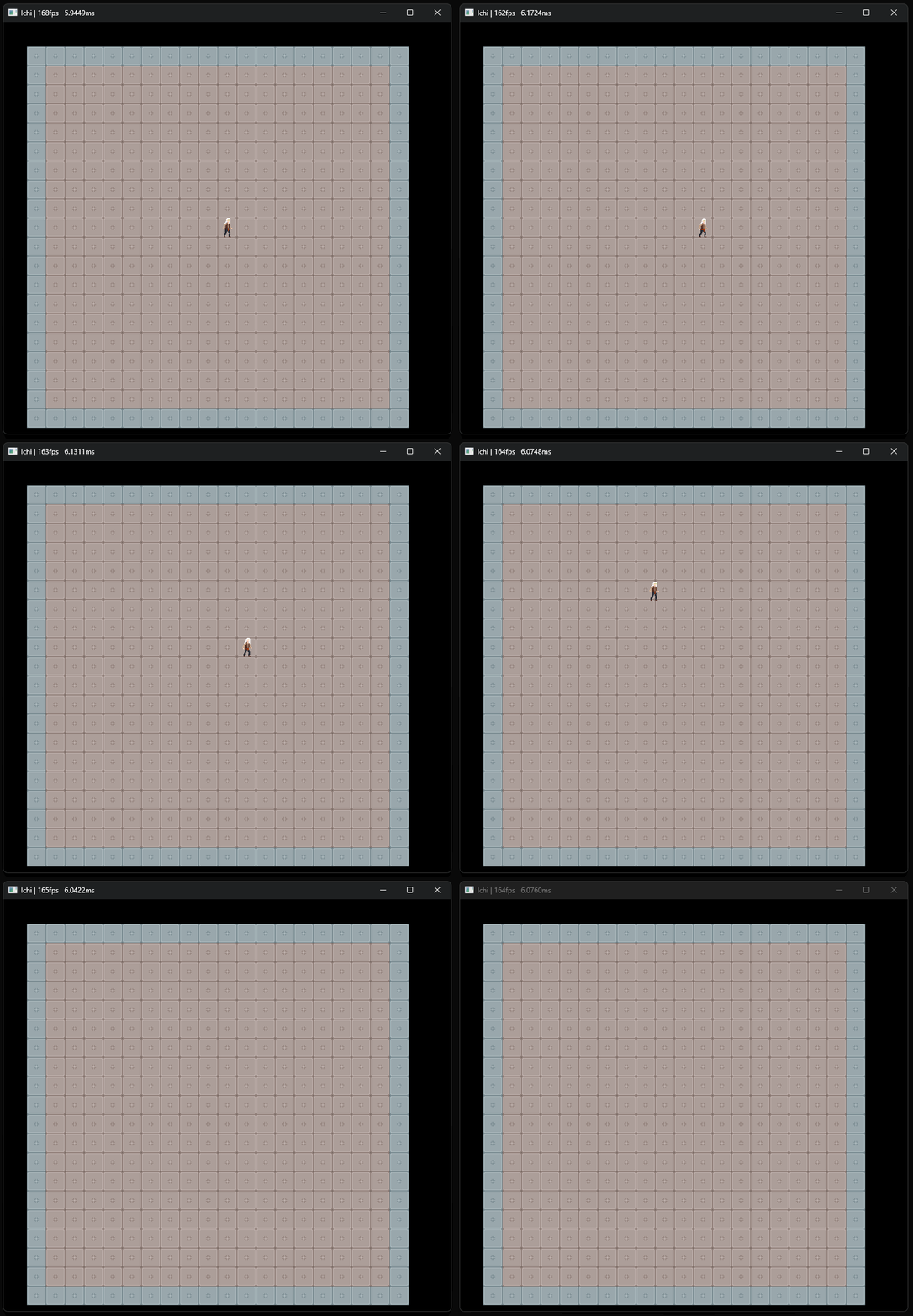
MoveTo() is currently only called by the input code to move the player. Instead of snapping the player to the next cell, it lerps it to target coordinates smoothly.
And, as a result, we get this silly movement;
Conclusion
Here's the Coroutine.hpp and Coroutine.cpp as it was at the time writing this post. While this coroutine implementation serves its purpose, it's far from the elegance of its first-class citizen C# brother. Because of that, it needs a bit boilerplate to implement the coroutine example at the beginning, like;
CoroutineResult SpawnRoutine(SpawnCtx& ctx)
{
    if (ctx.count > 0)
    {
        if (ctx.delay > 0)
        {
            ctx.delay -= Time::Get().deltaTime;
            return CoroutineResult::Yield;
        }

        SpawnEnemy();
        ctx.count--;
        ctx.delay = 1;
        return CoroutineResult::Yield;
    }

    SpawnBoss();
    return CoroutineResult::Stop;
}
Even then, it's not that bad. Sure, you need to write your own state machine-like logic but you wholly control heap writes, so it's more predictable. Also, nothing is stopping us from using a big, static allocation for coroutines up front to minimize heap fragmentation (which might be a problem on the C# side) to improve performance if we decide to use coroutines on hot paths.
So, all in all, this was a worthwhile and fun excursion into iterators and coroutines. Until next time, take care.